fbpx
Integrate Tracking Pixels With Google Tag Manager
Home » Blog » Performance Marketing Software (PMS) » Integrate Tracking Pixel with Google Tag Manager
Reading Time: 2 minutes

Integrate Tracking Pixel with Google Tag Manager

Share Now

Stay in the loop and ahead of the curve.
Subscribe to our newsletter now!


Integrate Tracking Pixels With Google Tag Manager

If you’re using Google Tag Manager to manage tags for your website and if you want to install the Trackier pixel tracking code. Follow these steps:

Create a Trackier pixel.

Our Pixel will look like this

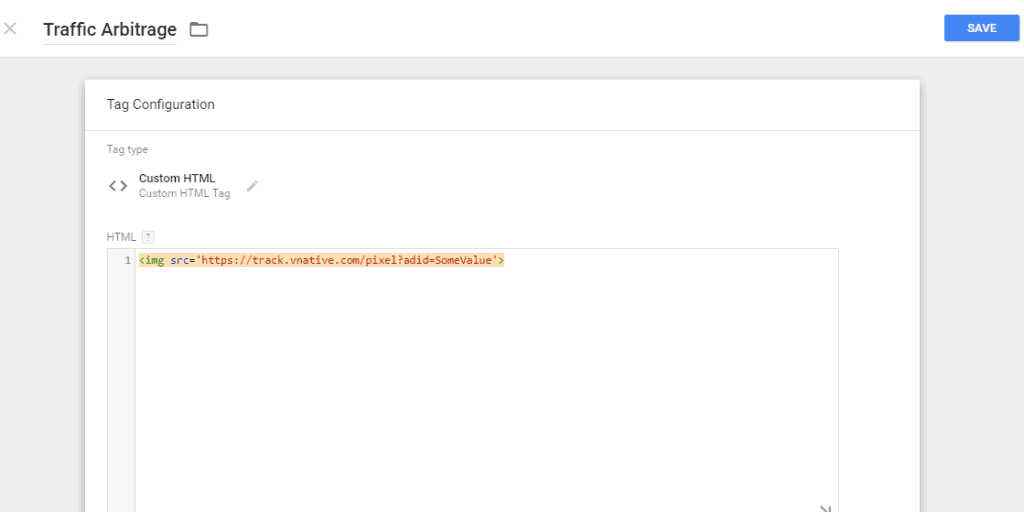
<img src=’https://track.trackier.com/pixel?adid=SomeValue‘>

Trackier provides tracking pixel code for every conversion campaign. You can get it from postback and pixel option in campaign details.

Now next step is to connect Trackier pixel to your Google Tag Manager account.

1) Select the container in which you want to install tracking pixel. For example, I have to track the conversion of my website planyourtours.com. So I  created a container for this website. (click here to know how  to create container and account)

1-1024x97

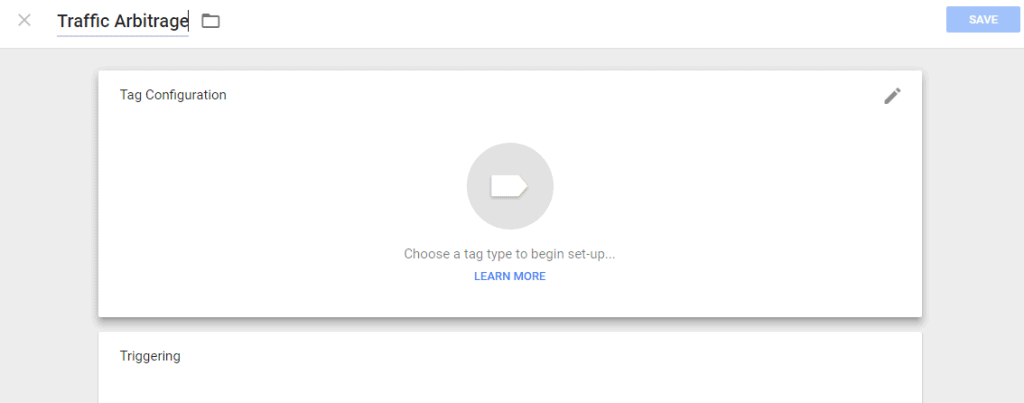
 2)  Click on Tag from the left side option. Name that tag according to your need. Click on Edit button of  Tag Configuration(Know how to add the Tag)

2-1024x403

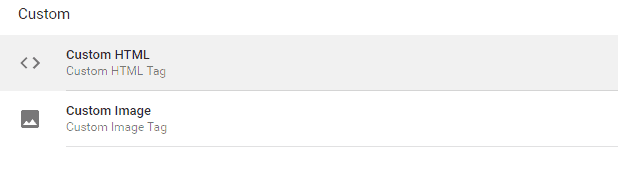
 3) Now choose the Tag type.  Click on Custom HTML from the custom. 
three

 4) Now paste the Trackier tracking code in HTML box. Shown in the image below. 
Google Ad Manager

 5) Choose the trigger by clicking on the edit button on the right side of triggering. (Know more about trigger) For example, I  want to track the conversion when a visitor comes to my website thank-you page after the successful sales then I choose the trigger which I created earlier with the page path that contains thank-you.

five-1024x193

 Hence your Trackier pixel tracking code has been install to your website with the help of Google Tag Manager. For any help drop us a line to support@oldtrackierwebsite.trackier.com.

About the author

More to explorer

Co-Branding vs. Co-Marketing

Co-Branding vs. Co-Marketing: Key Differences, Advantages, and Examples

Co-branding is a strategy where two or more brands partner to create new products or services. However, co-marketing is a marketing process where two brands collaborate to promote their products or services to their target audience without creating a new one.   Co-branding and co-marketing are the best examples of

Brand Engagement with Micro Influencer

Authentic Brand Engagement with a Micro Influencer

In today’s digital-first marketing world, brands seek strategies that create genuine relationships with their audiences. Micro influencer marketing is one of the best and highly effective approaches. An individual with a following of almost 1,000 to 100,000 followers is what we call a micro influencer. These influencers typically hold a

Influencer Marketing Meterics

Key Metrics for Influencer Campaigns: Measuring What Matters (and Why!)

Influencer marketing has become a significant force in the digital world. The industry is on a steady incline, with projections estimating it to reach at least $24 billion in 2025! A recent report found that influencer marketing budgets are on the rise. According to the report, more than 80% of

Bottom Image

Tap every user attribution in real-time with Trackier