After the addition of the Publisher Postback, it is advised that you run a Publisher Postback Test before taking your Performance Marketing campaign live. If you are facing any issues while adding the Publisher Postback, then please check out this article on “How to add your Publisher Postback?“.
Running a test of your Publisher Postback is extremely important so that we can confirm whether all the Marcos and Parameters and placed successfully in the right position. Via the Postback test, we can get confirmation whether the conversions are getting tracked both at our end as well as the Publisher’s end & help you get an assurance that the tracking of your Affiliate Marketing Campaign is going to run smoothly.
Please note that the Postback has to be updated with Trackier’s Macro before adding it to our panel.
Please follow the steps below for running the Postback test
Step 1: Create a Tracking Link
Initially, it is required to create a tracking link & share it with the Publisher so that they can create the campaign & generate the test link within the campaign. It is required from the Publisher’s end to create the test link & share it with the partner for the test run.
Step 2: Run Postback Test
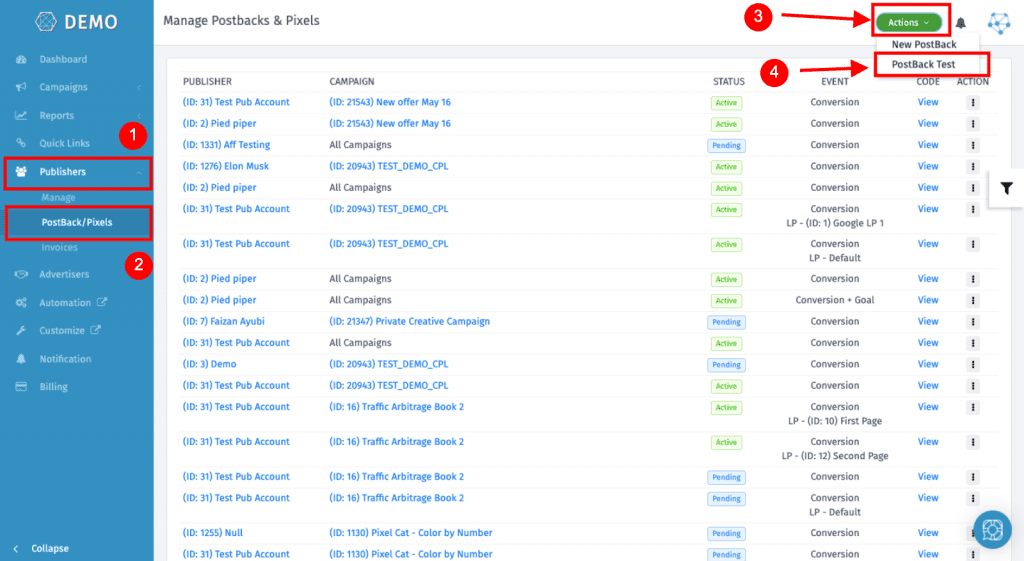
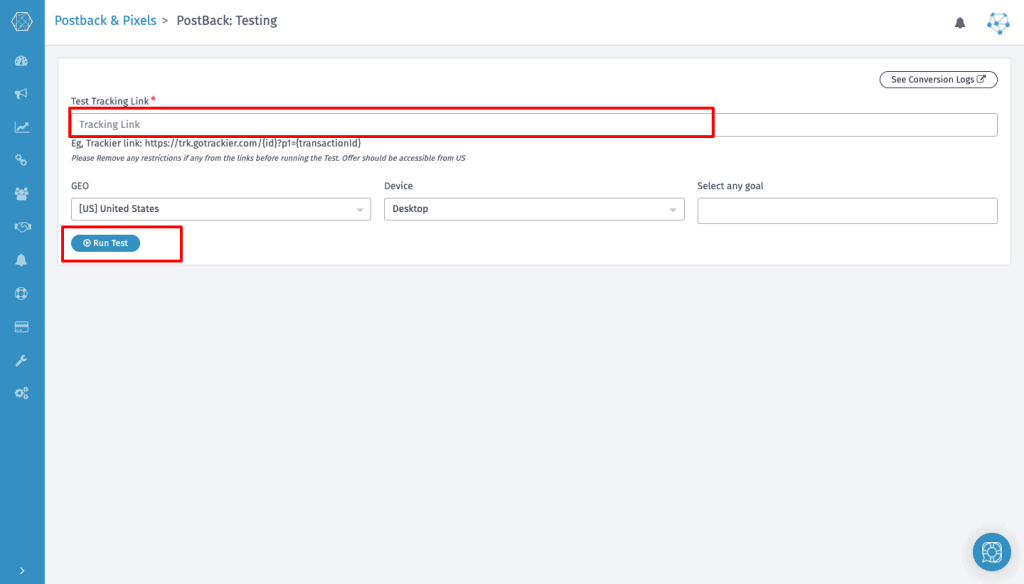
Open the Action tab where you will see the option via which you can run the Postback test with your publisher.
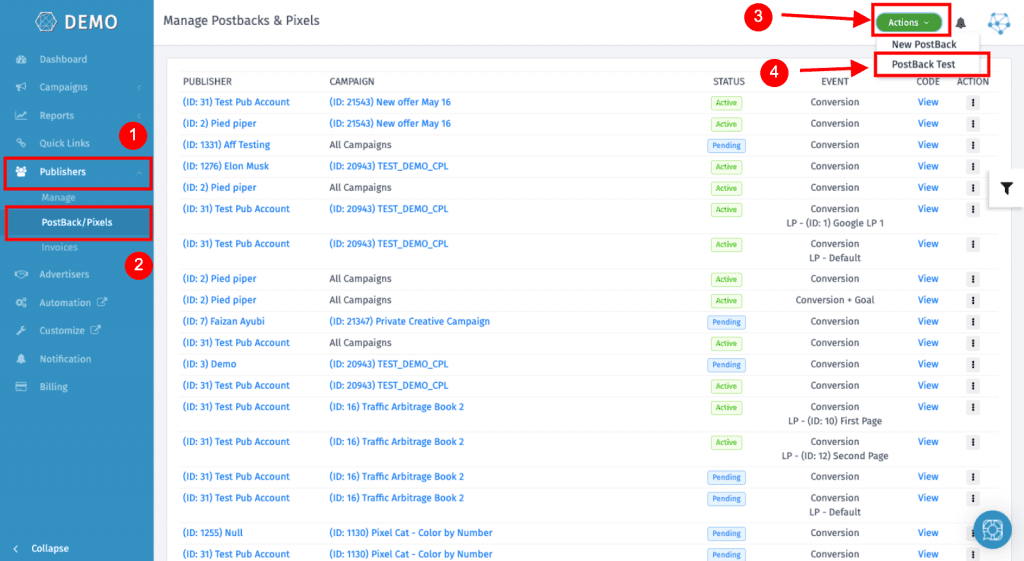
Step 3: Add the postback link shared by the publisher
Before running the Postback test, make sure that there are no restrictions or targeting added to the link. If that is the case then make the changes accordingly before running the test.
Step 4: Check after Postback test
After the Postback test is done successfully, it will look like the picture below.
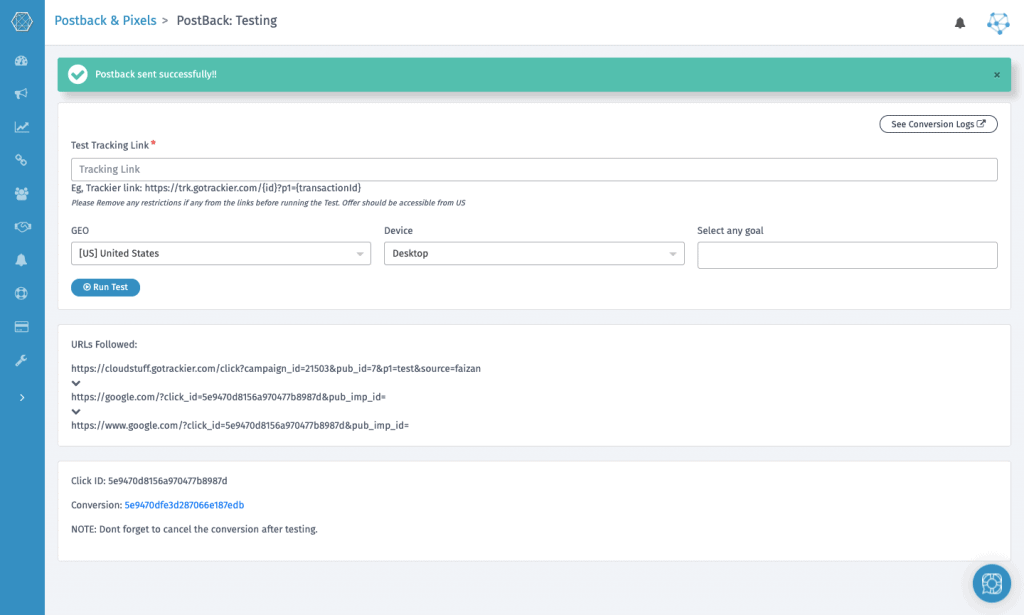
Please check if the conversions are recorded successfully or not. If Not, then check the tracking link & get back to the publisher. If Yes, then it is advised to delete the test conversion recorded on your panel.
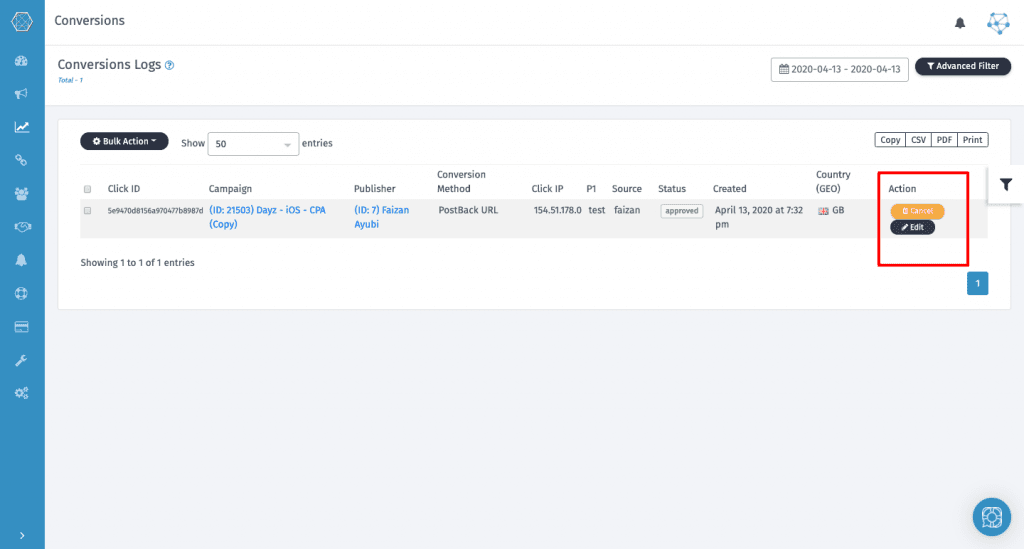
Step 5: Delete Conversion from Conversion Log
After getting the confirmation from the Publisher that the conversion has been recorded, it is advised to delete that conversion from the conversion log. Please refer to the image below to know more:
For more info, do refer to our help desk article on Running the Postback Test. In case of a query or an issue, feel free to reach out to us at support@oldtrackierwebsite.trackier.com.