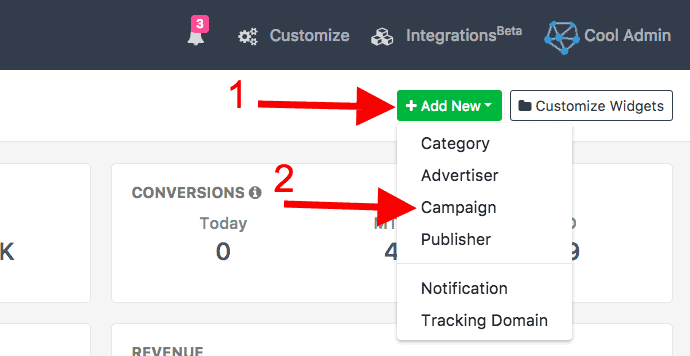
Creating campaigns is the fundamental requirement for running the network. How to Create Cost-Per-Click (CPC) Campaigns has been one of the recent question discussed among pioneers of the advertising town. With our auto-fetch system, we help users to automate the campaign’s details entry while creating the campaigns. To create the campaign you have to: Click on +Add New from the Dashboard, then click on Campaign.
OR
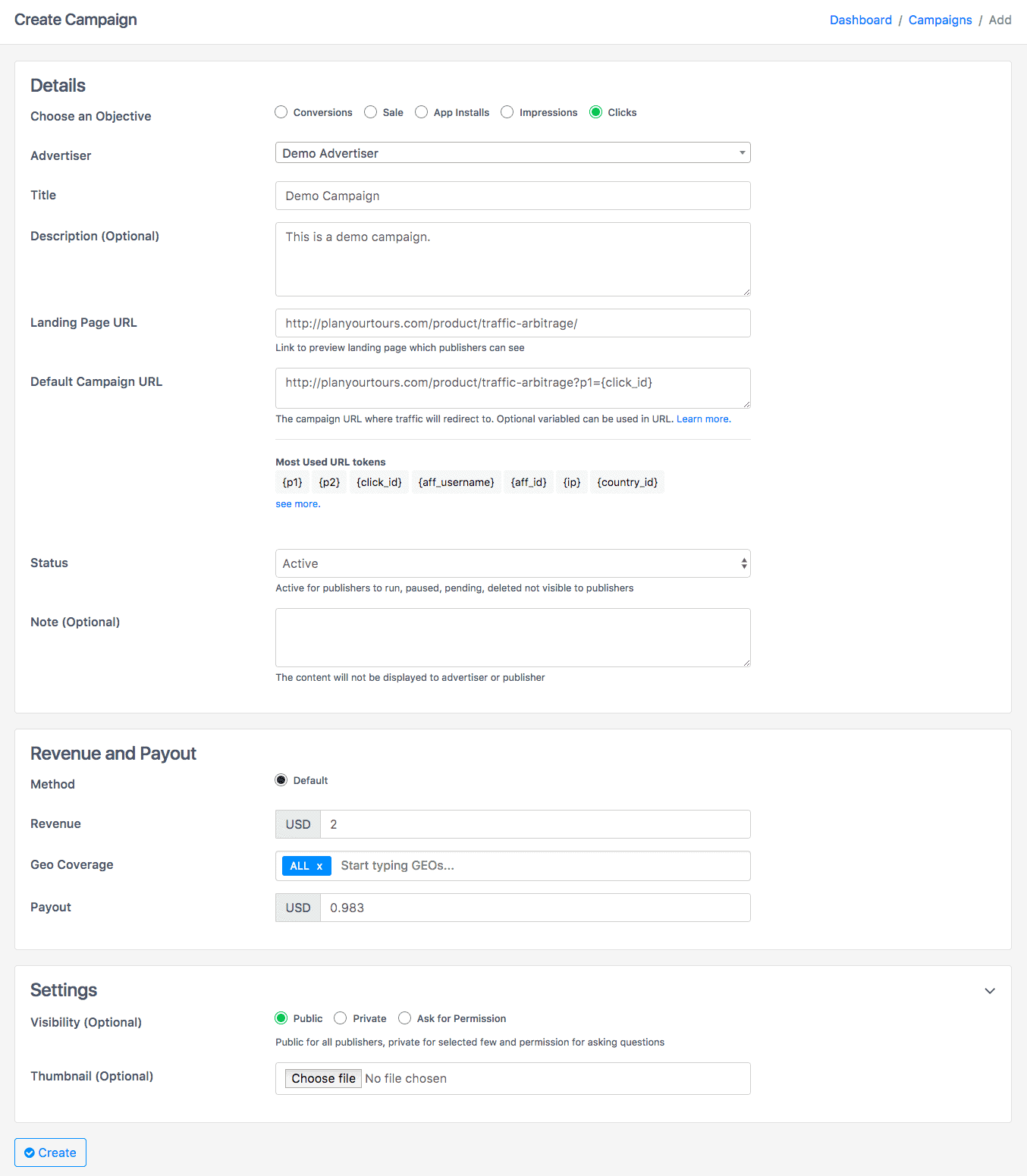
To create a campaign, follow these steps:
- Step I: Goto Campaigns from the campaigns tab on the left side
- Step II: Click on the Create Campaign button shown on the right top of the panel.
- Step III: Fill up the Campaign Details. Now Enter the Details of Campaign:
- Choose Objective: Select objective as Clicks.
- Advertiser: Select Advertiser whose campaign you are running
- Device: Select from Device list on which you are planning to display ad.
- Title: The title of Ad.
- Description: Optional description of product/service/offer.
- Destination URL: Your affiliate would be sent to this URL. You can add the extra parameter to get more information about the source.
- Preview URL: This is the URL which shown in the offer of the preview page.
- Category: Select a Category or add new ones.
- Revenue: Amount you are charging from the advertiser.
- Payout: Amount you will pay to affiliates.
- Geo Coverage: The Countries list where ads will show,
- Commission Description: Optional details on Commission.
- Visibility: Visibility let you make the campaign private or public.
- Private: While doing the campaigns private only you and your selected affiliates can see that campaign and can run that campaign.
- Public: While doing the campaigns public every affiliate can see that campaign and will able to run that campaign.
- Permission: By enabling this the affiliate will need your permission to run that campaign.
- Thumbnail: Thumbnail Image for Ad
If you want to set the Payout Tiers,Read this Documentation. Now Click on Create and then after creating, click on the campaign to get tracking clicks details. If you are facing any problem, you can contact your account manager or can email us at support@oldtrackierwebsite.trackier.com.